Create business plans for free
Capture your business concept, founder information, scenarios and financial planning, then export the complete plan as a PDF for banks or public authorities.
A critical point in every tax audit is proving that documents cannot be altered.
Every tax audit focuses on proving that documents are immutable. Even sole proprietors and small businesses are legally required to archive all tax-relevant records in a GoBD-compliant, audit-proof manner. Classic office programs such as MS Word or Excel are not sufficient for this: because local files on your PC or Mac – even in PDF format – can be altered afterwards, they violate the GoBD requirement of immutability.
Without an automated archiving service that securely backs up your documents in the cloud, GoBD compliance is difficult to achieve – unless you invest in expensive, specialized hardware storage (WORM storage), which is completely uneconomical for small businesses. MyRecruit.App solves this problem fully automatically through integrated, secured cloud structures.
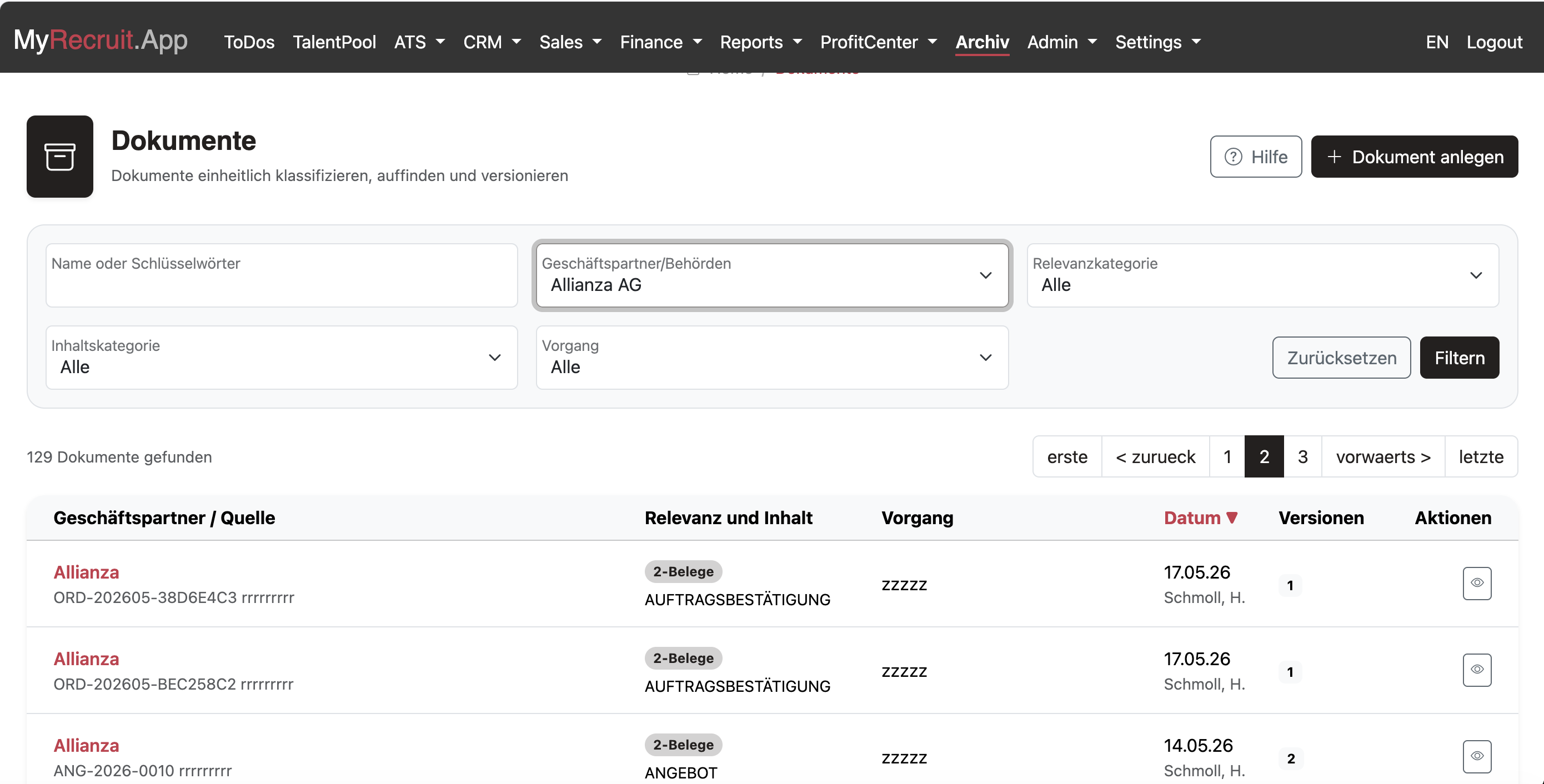
An archiving system only serves its purpose if documents can be found without much effort. To perfect this process, MyRecruit.App uses the principle of relevance- and context-based document archiving.
Instead of filing documents only chronologically or alphabetically, the system assigns each record a level of importance (relevance level) and links it to the relevant business context via its content category:

MyRecruit.App automatically bundles all records of a project or transaction into a single business transaction – for example when purchasing a company car or upon a successful placement.
The business transaction forms the GoBD-compliant frame for all related records and individual actions.
Filter and download the most important documents for any transaction with a single click.
Create a complete project file at any time, perfectly sorted by relevance and category.
With MyRecruit.App, you can create your business plan free of charge. You can also use recruiting and business management within clear free limits and without an expiring trial period.
Capture your business concept, founder information, scenarios and financial planning, then export the complete plan as a PDF for banks or public authorities.
Manage up to 100 candidates. Positions and applications are not limited separately. Business management includes five new orders per calendar year.
Store documents, including their versions, up to a total of 1 GB. Mandatory records generated automatically for an existing transaction continue to be archived.
Only when your needs exceed these free limits do you decide whether to enter into a SaaS Agreement. No fees arise without your express agreement.
No credit card required. The free account has no fixed expiry date.
Tax-relevant documents are generated in the designated finance processes or captured there as incoming records. Other documents can be uploaded directly.
Business partner, business transaction, relevance and content category are inherited from the originating process or selected during upload.
Version, timestamp, checksum and audit trail protect immutability and make subsequent changes traceable.
Find documents by business partner, transaction, relevance and category, then download individual records or complete transaction files.